iPhone Check In: A Deep Dive into Apple's Underrated Safety Feature for 2026
Giving Loved Ones Peace of Mind Without Sacrificing Privacy
[FEATURED]
In an increasingly connected yet unpredictable world, personal safety remains a paramount concern for individuals and their loved ones. Apple's iPhone Check In feature, initially rolled out with iOS 17 in 2023, offers a sophisticated yet user-friendly solution, enabling individuals to proactively assure friends and family of their well-being and whereabouts without compromising their privacy through constant, intrusive location tracking.
Key Takeaways
-
Privacy-First Safety: Check In allows location sharing only when critical, avoiding constant tracking.
-
Automated Notifications: Automatically alerts contacts upon safe arrival or if a specified timeline is missed.
-
Configurable Data Sharing: Users control the level of information shared, from basic alerts to detailed routes and device status.
-
Seamless Integration: Managed directly through the Messages app and integrated with Apple Watch for workout monitoring.
-
Proactive Alerts: Triggers notifications for recipients if the user loses cellular service or their device powers off unexpectedly.
-
Underrated Security Tool: Complements other Apple safety features by providing proactive communication and peace of mind.
The Evolution and Core Principle of Check In
First introduced as a cornerstone feature in iOS 17 back in 2023, Apple's Check In has evolved into a mature and increasingly vital component of personal digital safety. Now in 2026, its relevance continues to grow as users seek greater control over their privacy while maintaining essential connections. The fundamental premise of Check In is elegant in its simplicity: to provide peace of mind to designated contacts by confirming your arrival at a specified destination, or by alerting them if you don't. This stands in contrast to passive, continuous location sharing, which many users find invasive and unnecessary for daily interactions. Check In carves out a niche by offering on-demand, event-driven reassurance, making it a powerful tool for personal autonomy and security.
Operational Mechanics: How Check In Functions
At its core, Check In is integrated seamlessly within the Messages application, reflecting Apple's strategy of embedding safety features into everyday communication tools. To initiate a Check In, a user simply designates a contact, specifies a destination, and sets an expected arrival time. The system then monitors the user's progress. Upon successful arrival at the chosen location, the designated contact receives an automatic notification confirming the user's safety. This 'no-action-required' confirmation is a key aspect of its user-friendliness, alleviating the need for manual updates and potential distractions upon reaching a destination.
However, the true protective power of Check In emerges when things don't go as planned. If the iPhone (and by extension, the user) fails to reach the destination within the expected timeframe, the user receives a prompt. If this prompt goes unanswered within 15 minutes, or if an Emergency SOS call is placed, the designated contact automatically receives a notification detailing the user's most recent location, along with critical device data such as battery level and network signal strength. This robust fallback mechanism is designed to provide crucial information in scenarios ranging from getting lost to more serious emergencies.
Expanding Capabilities: Workout Check In and Data Control
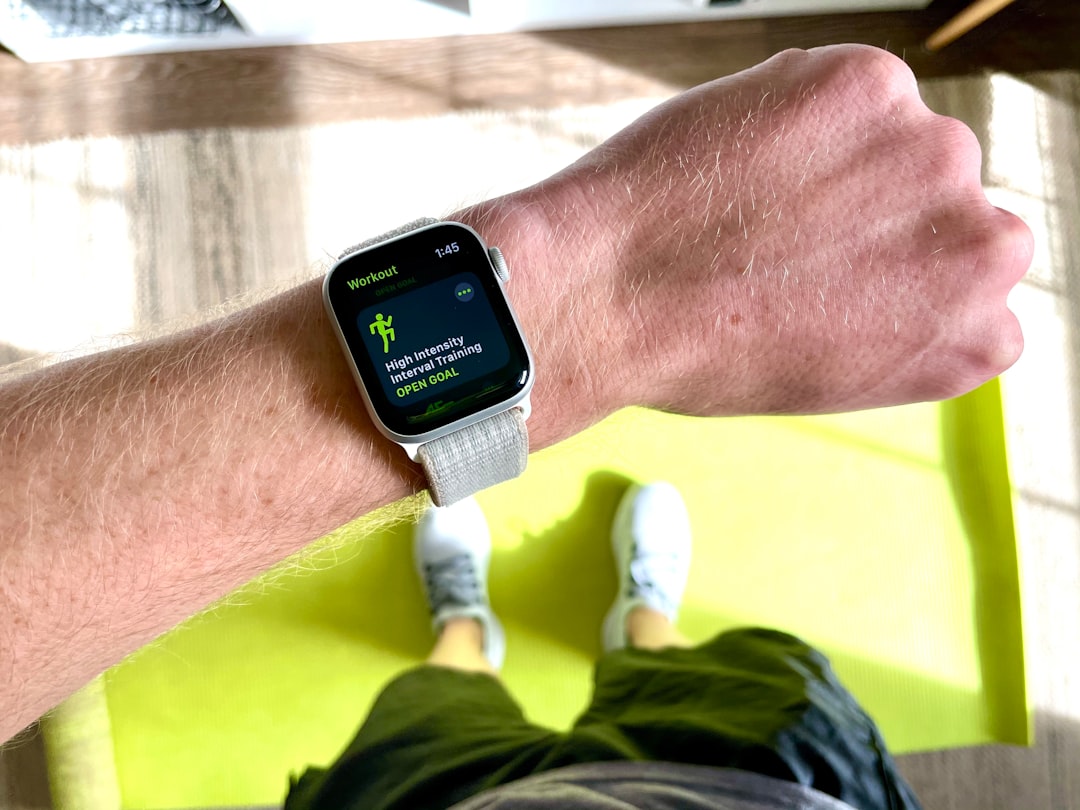
Beyond the primary journey-based functionality, Apple has expanded Check In's utility. watchOS 11 introduced a dedicated Workout Check In feature, allowing users to automatically trigger a Check In notification upon completing a workout. This is particularly valuable for individuals engaging in activities like solo runs, hikes, or late-night gym sessions, providing an added layer of security without requiring manual interaction post-exercise. The process is intuitive: start a workout, swipe right, select Check In, and choose the contact.
Privacy remains a central tenet of Check In's design, even in emergency scenarios. Users retain granular control over the depth of information shared. While basic alerts provide critical safety confirmations, individuals can opt to share more comprehensive data. By navigating to Settings > Apps > Messages > Check In Data and selecting "Full," users can enable the sharing of additional details, such as the exact route traveled. This level of customization ensures that users can tailor the feature to their specific comfort levels and situational needs. Furthermore, the system is engineered to provide proactive alerts to recipients even in challenging circumstances. If cellular service is lost or the iPhone/Apple Watch powers off, Check In is designed to transmit the last known location data before the disruption, maximizing the chances of providing actionable information when it matters most.
Integrating Check In into a Holistic Safety Ecosystem
While other prominent Apple safety features like Emergency SOS and Crash Detection rightfully garner significant media attention for their immediate, life-saving interventions, Check In occupies a distinct and equally critical space. It is a proactive communication tool, designed not necessarily to react to an incident, but to prevent anxiety and provide pre-emptive reassurance. It bridges the gap between passive tracking and reactive emergency services, offering a sophisticated layer of 'soft security' that empowers users and their contacts. For diverse demographics—from teenagers walking home from school to solo travelers exploring new cities, or individuals engaging in outdoor activities—Check In transforms the iPhone from merely a communication device into a personal safety sentinel.
Public Sentiment: An Underrated Guardian
Despite its robust capabilities, the Check In feature often remains overshadowed by its more dramatic counterparts. There is an understandable initial hesitation among many users to engage with any feature perceived as location sharing, even if it's conditional. However, those who adopt Check In frequently laud its ability to provide peace of mind without the perceived intrusion of constant tracking. It addresses a core dilemma: how to assure loved ones of safety while maintaining personal boundaries. As awareness grows, Check In is steadily being recognized not just as a niche tool, but as a universally applicable, "underrated" security asset within the Apple ecosystem. Its design philosophy — placing user control and situational relevance at its forefront — resonates with a public increasingly discerning about their digital privacy and physical security.
Conclusion
Apple's iPhone Check In, now a staple feature, exemplifies a thoughtful approach to personal safety in the digital age. By offering a nuanced balance between user privacy and the vital need for security and reassurance, it provides a simple yet profoundly impactful tool for proactive communication. Whether mitigating everyday anxieties or offering crucial data in unforeseen circumstances, Check In stands as a testament to Apple's ongoing commitment to integrating advanced safety features into the fabric of its devices. For anyone seeking to enhance their personal security and provide peace of mind to their circle, exploring the capabilities of Check In is not merely recommended—it is a compelling imperative.