The 'Super UEFIinSecureBoot Disk' has emerged as a topic of keen interest within the cybersecurity and IT administration communities. This innovative bootable image, centered around the GRUB2 bootloader, achieves a notable feat: it allows users to boot any operating system or .efi file, even those with untrusted, invalid, or missing signatures, while UEFI Secure Boot remains active.
Key Takeaways
-
Secure Boot Bypass: The disk circumvents UEFI Secure Boot without requiring its explicit deactivation in system settings.
-
Leverages Signed Components: It operates by utilizing a Microsoft-signed shim and modified loaders to establish an initial chain of trust.
-
MokManager Integration: A crucial step involves the use of MokManager to enroll untrusted certificates, subsequently allowing unsigned files to execute.
-
Versatile Recovery Tool: Designed as a base for recovery USBs, it is ideal for IT professionals managing locked systems, enabling OS installations, and facilitating data recovery.
-
Dual-Use Implications: While offering substantial utility for legitimate maintenance, the methodology employed also highlights potential security considerations regarding the integrity of the secure boot process.
Understanding UEFI Secure Boot
Unified Extensible Firmware Interface (UEFI) Secure Boot is a security standard developed by members of the PC industry to help ensure that a device boots using only software that is trusted by the Original Equipment Manufacturer (OEM). It operates by checking digital signatures of boot components, preventing malicious software like rootkits from injecting themselves early in the boot process. When Secure Boot is enabled, the system firmware verifies the cryptographic signature of every boot component, including the operating system bootloader, against a database of authorized signatures. If a signature is not found in the authorized database, or if it's found in a prohibited database, the boot process is halted. The goal is to create a secure, uncompromised path from the firmware to the operating system, safeguarding against low-level malware.
The Super UEFIinSecureBoot Disk: A Technical Overview
The 'Super UEFIinSecureBoot Disk' is an ingeniously crafted bootable image built around the GRUB2 bootloader, designed primarily for system recovery and maintenance. Its standout feature is the ability to operate effectively even when UEFI Secure Boot is active. This is achieved through a multi-component strategy that leverages trusted digital signatures to introduce untrusted code into the boot process.
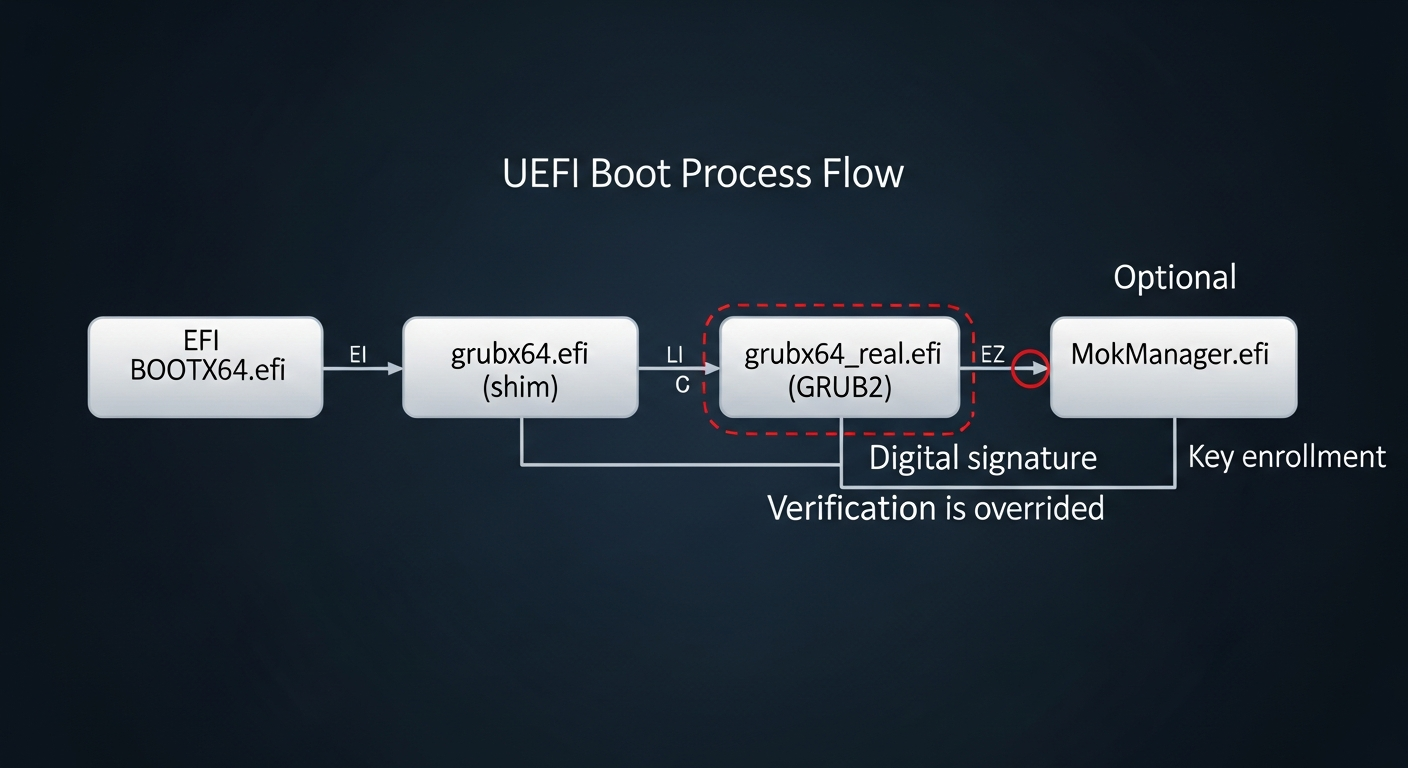
At its core, the disk comprises three critical elements: a shim pre-loader originating from Fedora, which is notably signed with a Microsoft key widely pre-installed in most modern motherboards; a modified version of the Linux Foundation PreLoader; and a modified GRUB2 loader. The Fedora shim acts as the initial trusted component, as its Microsoft signature is recognized by nearly all Secure Boot-enabled systems. This allows it to load the subsequent, modified components, effectively creating a 'trusted' entry point into an otherwise secure boot chain.
Circumventing the Signature Check
The core of the bypass lies in the modifications made to the Linux Foundation PreLoader and GRUB2. Typically, the Linux Foundation PreLoader would enforce signature verification for subsequent boot components. However, the version included in this disk has been altered to disable this digital signature verification. Once the Microsoft-signed shim loads this modified PreLoader, the chain of trust is effectively redirected, moving from strictly verified components to a more permissive environment.
The initial boot sequence is critical: upon the first use, the system will automatically launch MokManager.efi (Machine Owner Key Manager). This tool allows users to enroll new cryptographic keys or hashes, effectively telling the system to trust specific unsigned bootloaders or kernels. After a certificate is selected and enrolled via MokManager – a process that only needs to happen once – the modified GRUB2 loader can then freely execute any operating system or .efi file, regardless of whether it possesses a valid signature. This means that from that point forward, the disk functions as if Secure Boot were disabled, allowing untrusted executables and drivers to be loaded, all without making any changes to the system's UEFI settings.
Practical Applications and Utilities
The implications for system administrators and IT professionals are substantial. The Super UEFIinSecureBoot Disk provides a powerful solution for tasks that traditionally required disabling Secure Boot, a setting often protected by a password in corporate or sensitive environments. It can launch various Live Linux distributions for diagnostics, a Windows Preinstallation Environment (WinPE) for system repairs, or facilitate network booting – all without altering the UEFI settings. This is particularly convenient when performing maintenance on someone else's PC or corporate laptops where UEFI settings might be locked.
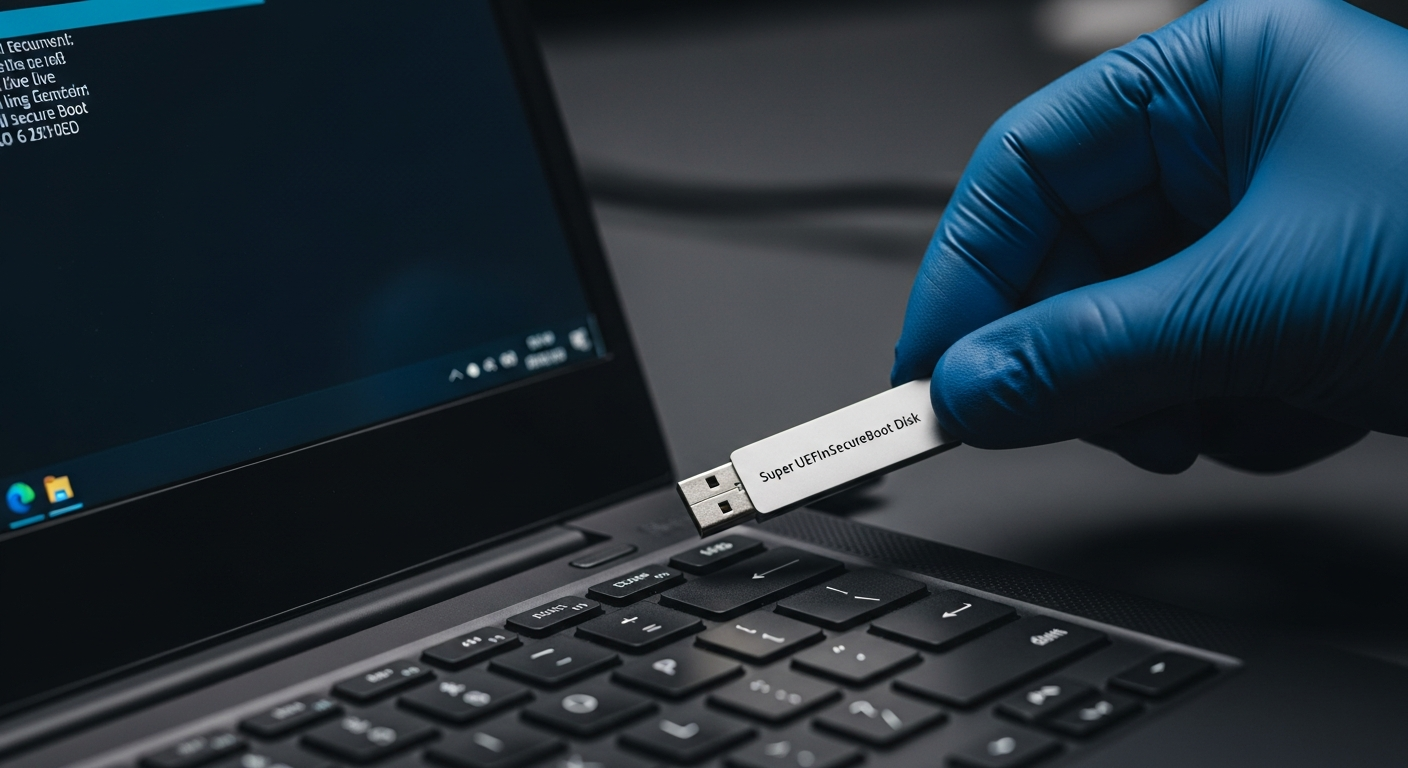
To demonstrate its capabilities and provide immediate utility, the image includes several supplementary tools. These include Super Grub Disk, a collection of scripts for locating and booting operating systems even if their primary bootloader is damaged; GRUB Live ISO Multiboot, which enables loading Live Linux distributions directly from ISO files; One File Linux, a compact kernel and initrd in a single file for rapid system recovery; and various UEFI utilities for advanced diagnostics and configuration. Its robust feature set positions it as a comprehensive toolkit for many IT challenges.
Broad Compatibility
Beyond its Secure Boot circumvention capabilities, the disk is designed for broad compatibility, ensuring its utility across a wide range of hardware. It functions seamlessly with UEFI systems where Secure Boot is not enabled, offering a consistent recovery environment. Furthermore, it extends its utility to older PCs that still rely on traditional BIOS firmware, providing a single, versatile solution for diverse hardware environments, from legacy systems to the latest secure boot-enabled machines.
Public Sentiment
The release of the Super UEFIinSecureBoot Disk has elicited a mixed but significant response within the cybersecurity and IT administration communities. Many IT professionals laud the disk as an indispensable tool, citing its potential to streamline critical maintenance tasks on systems with locked UEFI settings, particularly in corporate environments. 'This is a game-changer for recovery operations,' one systems engineer commented, 'no more fighting with locked BIOS passwords or explaining to clients why Secure Boot needs to be temporarily disabled.'
However, the security implications have also sparked vigorous debate. While designed for legitimate purposes, the method employed raises concerns about the integrity of the Secure Boot chain. Security researchers note that any tool capable of bypassing a fundamental security mechanism, even through clever leveraging of trusted components, highlights a potential attack vector. 'While the intent is benign, the underlying technique demonstrates a vulnerability that could, theoretically, be adapted by malicious actors,' a cybersecurity analyst cautioned, emphasizing the need for continuous vigilance and robust security practices even with seemingly trusted tools. The discussion underscores the fine line between utility and potential risk in the evolving landscape of digital security.
Conclusion
The Super UEFIinSecureBoot Disk undeniably marks a significant advancement in system recovery and maintenance, offering unprecedented access to Secure Boot-enabled systems without compromising their foundational security settings. By smartly utilizing a Microsoft-signed shim and a user-controlled trust enrollment process, it bridges a critical gap for IT professionals facing locked or compromised systems. Yet, like many powerful technologies, its dual-use nature prompts a reevaluation of what 'secure' truly means in the context of boot processes. As such tools become more prevalent, the cybersecurity landscape must continually adapt, balancing the need for robust security with the practical demands of system administration and recovery, ensuring that innovative solutions do not inadvertently open doors to new vulnerabilities.